Calorie Tracker · Health & Nutrition
CalorieS AI: BMI Counter
Calorie tracking in a snap.
AI-powered calorie and nutrition tracking designed to make daily food logging easier.
CalorieS AI turns a photo of your meal into a clear nutrition estimate, so logging food takes seconds instead of minutes. It keeps track of calories and macros, learns your goals, and helps you build a steadier relationship with what you eat — without ads, tracking, or clutter.
Highlights
Snap & log
Photograph a meal and get an instant calorie and macro estimate.
Goals that adapt
Targets calculated from your profile and adjusted as you progress.
Private by design
No ads, no cross-app tracking. Your data stays yours.
What it actually looks like.
Every screen below is the real app, captured in your language.
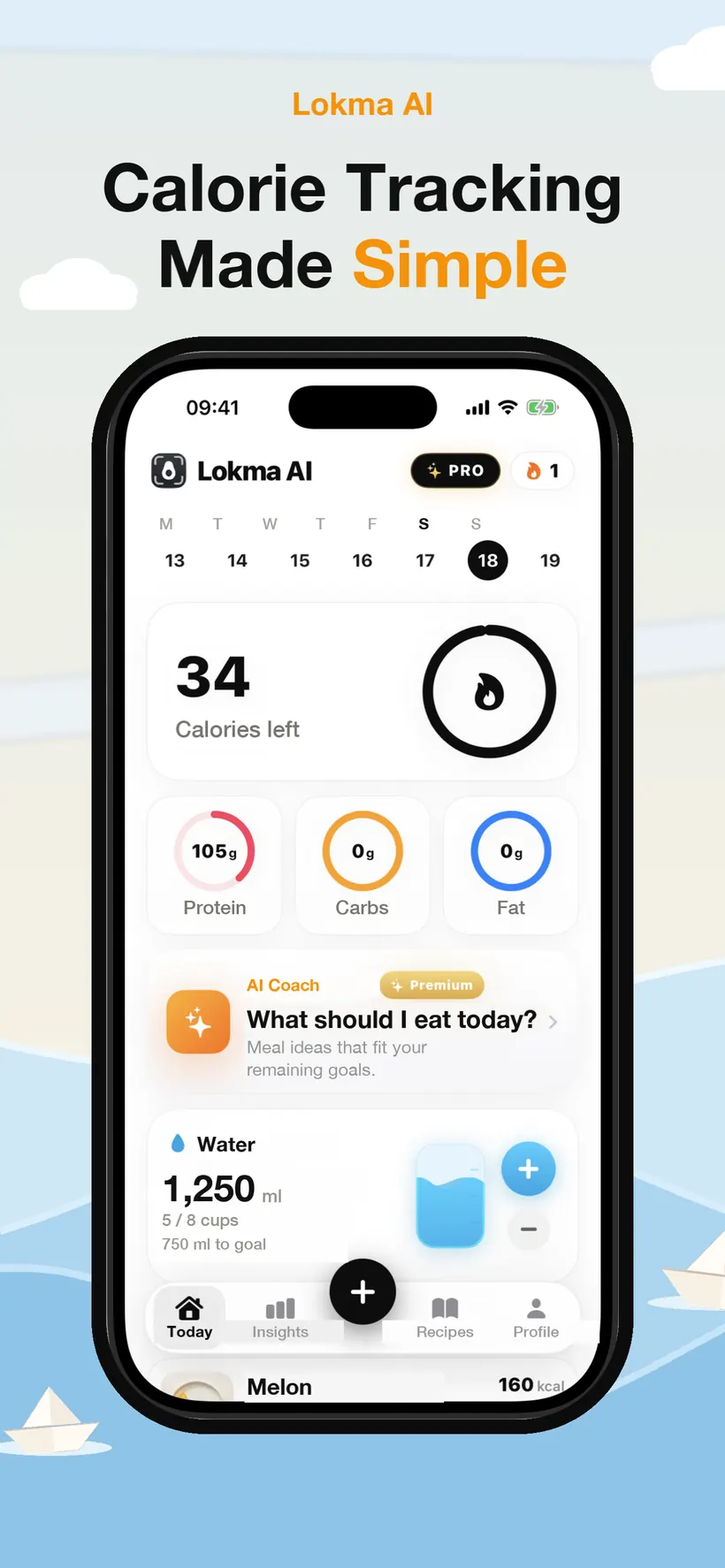
The whole day on one screen
Calories left sit at the top, with protein, carbs and fat as three rings underneath. Water, your streak and the day's meals follow — so a glance tells you where you are, and nothing else competes for attention.
Screen 1 of 8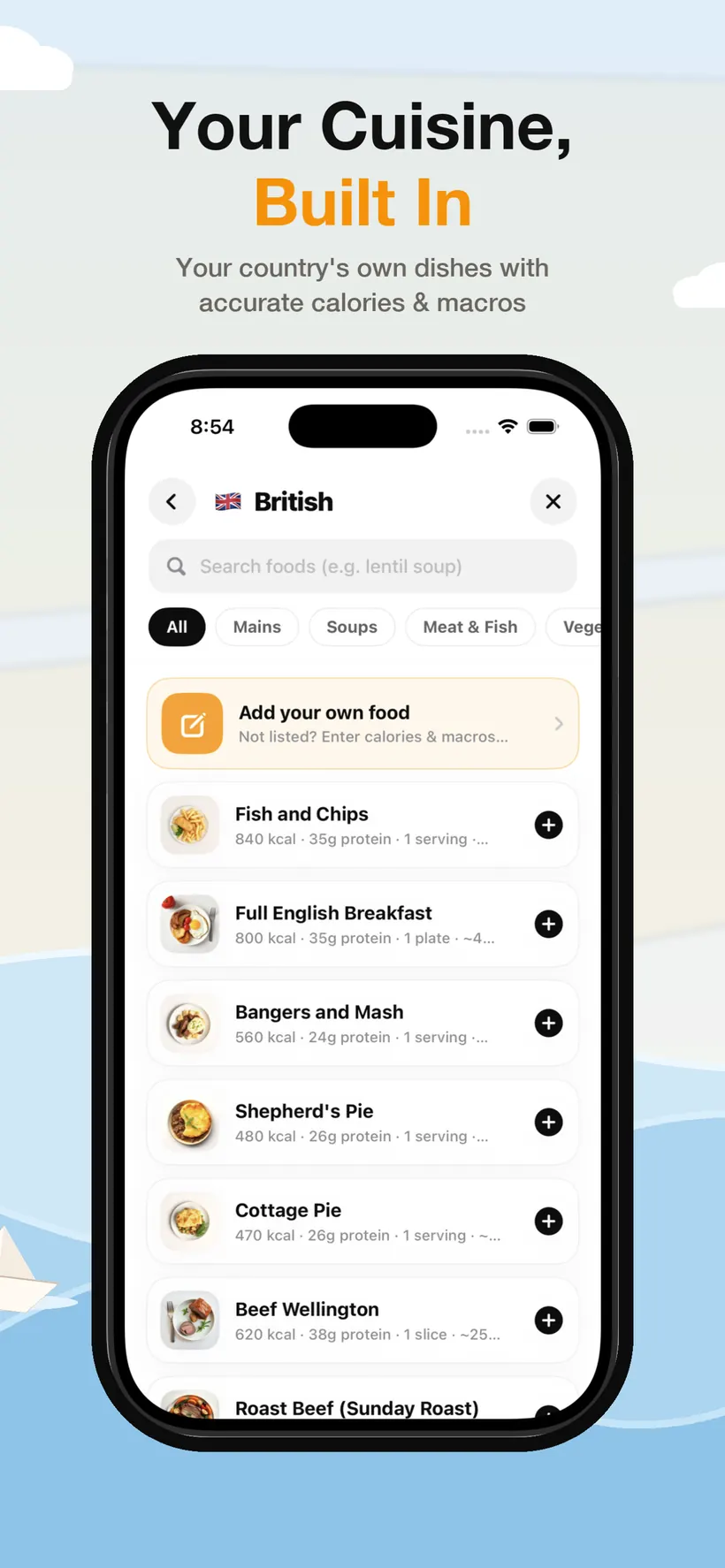
Food you actually eat
A built-in database of local dishes, organised by country and by course — mains, soups, meat and fish, vegetables — each with calories and macros per serving. If something is missing, you can add it with your own numbers.
Screen 2 of 8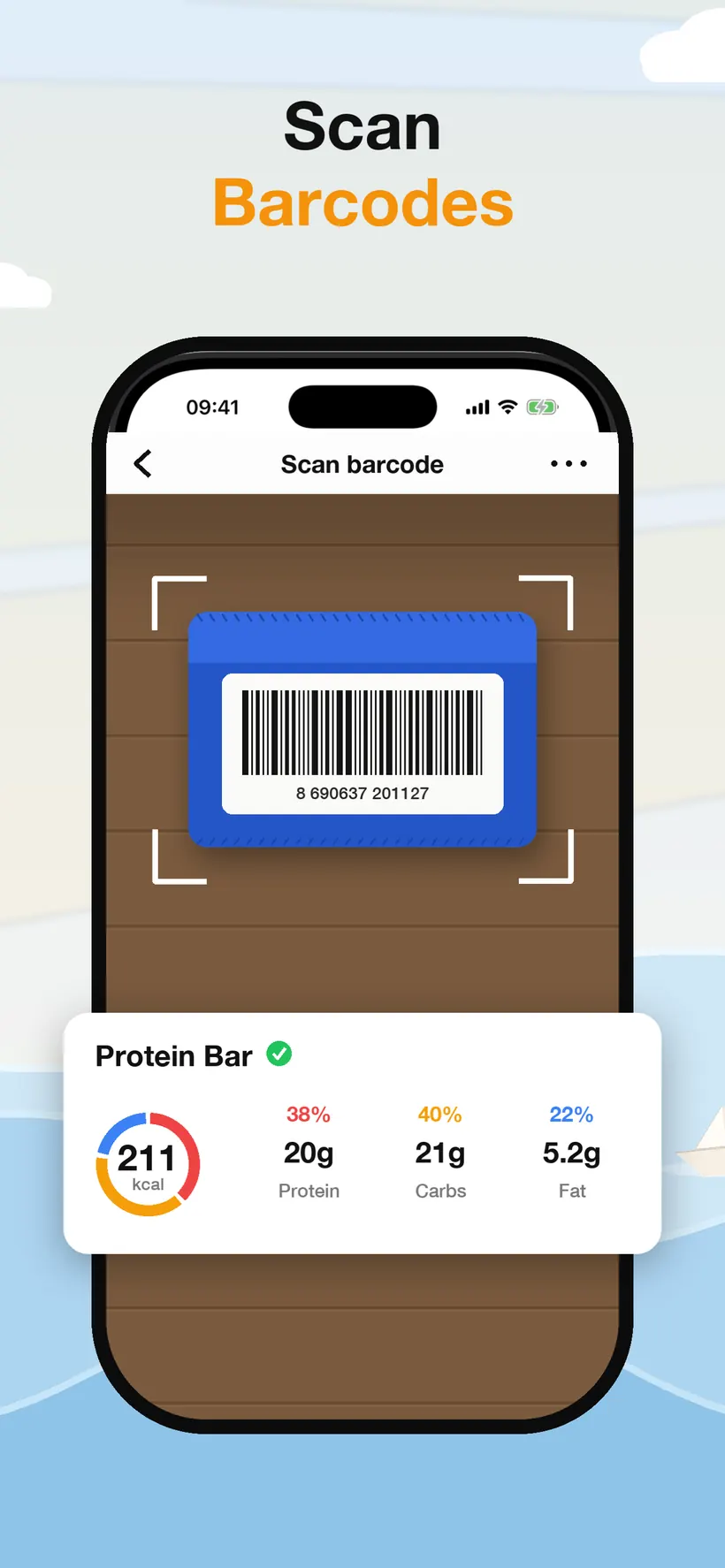
Packaged food, one scan
Point the camera at a barcode and the product comes back with its calorie count and macro split ready to log. No typing, no searching through near-identical entries.
Screen 3 of 8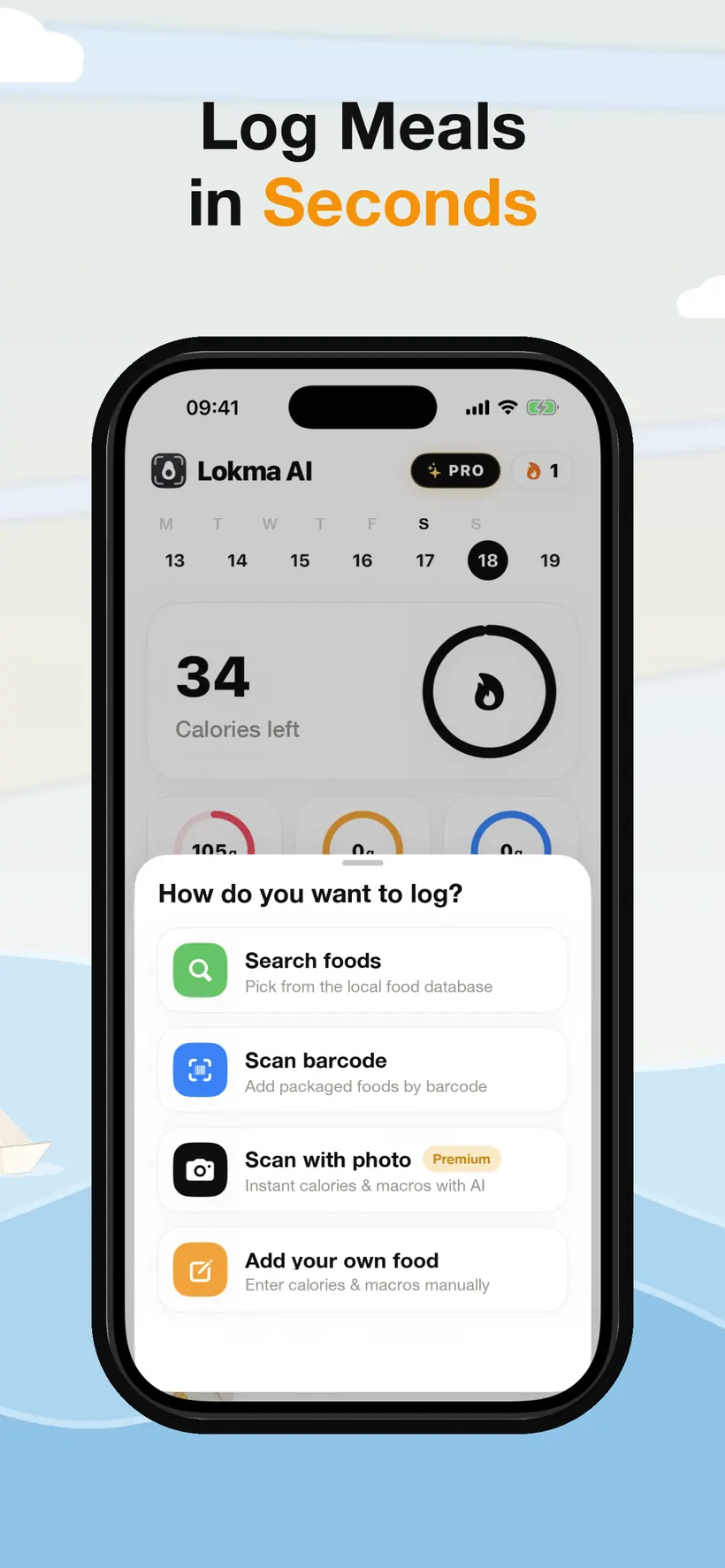
Four ways to log a meal
Search the food database, scan a barcode, photograph the plate, or type the numbers in yourself. The photo route is the fast one — the others are there for when it's easier to just tap.
Screen 4 of 8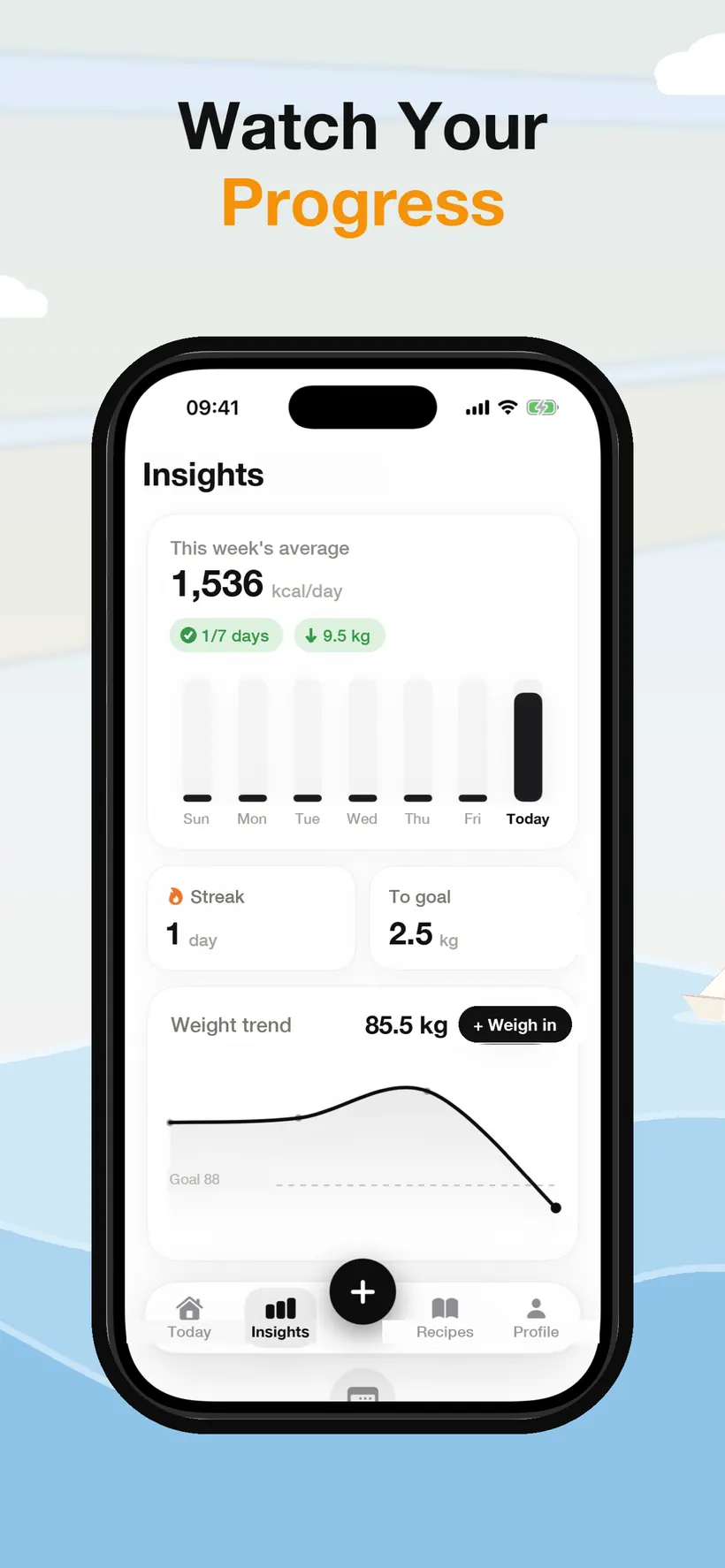
Progress you can read
Insights shows your weekly calorie average, how many days you hit your target, your current streak and a weight trend drawn against your goal line. It is a picture of the direction you're heading, not a scoreboard.
Screen 5 of 8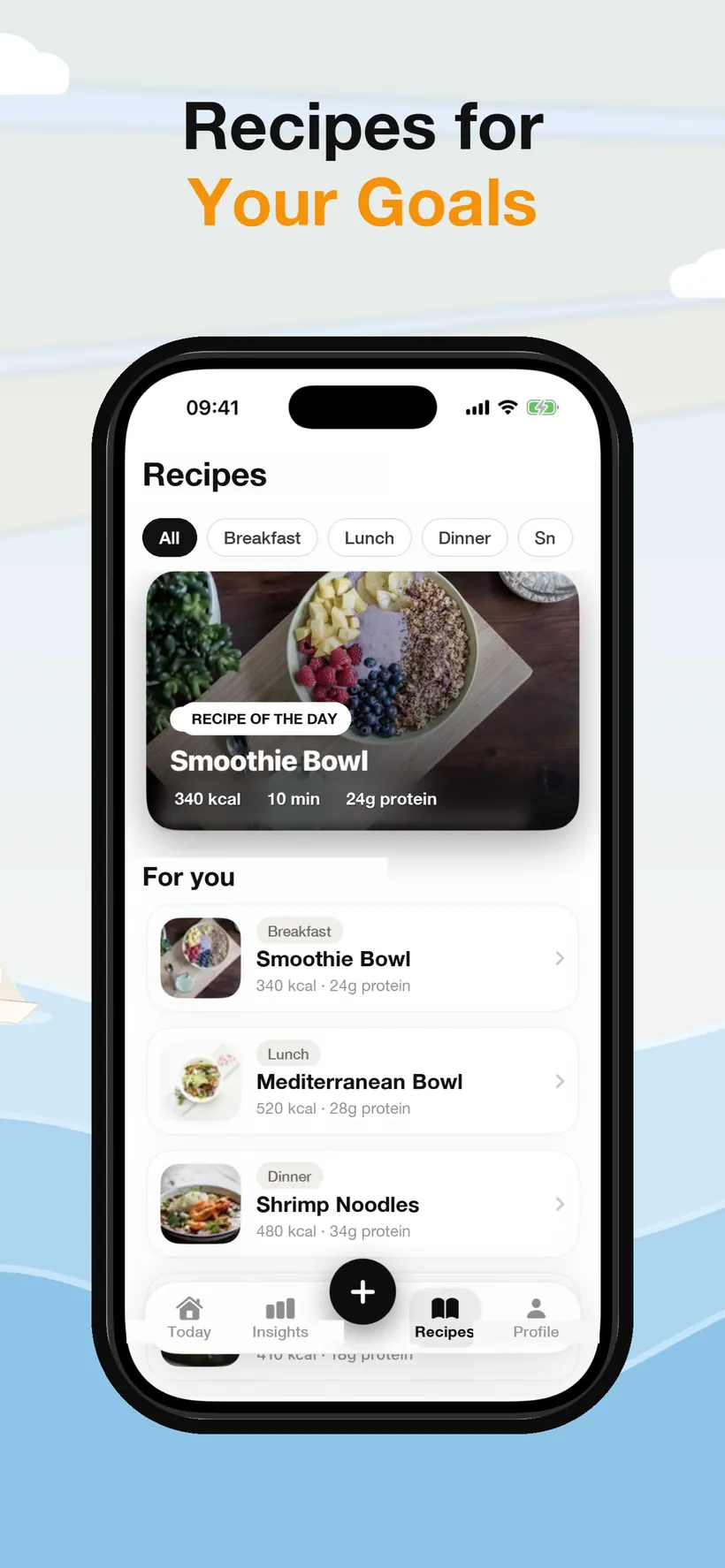
Recipes that fit the numbers
A recipe of the day plus suggestions grouped by breakfast, lunch, dinner and snacks — each showing calories, protein and how long it takes. Picked to fit the targets you're already working towards.
Screen 6 of 8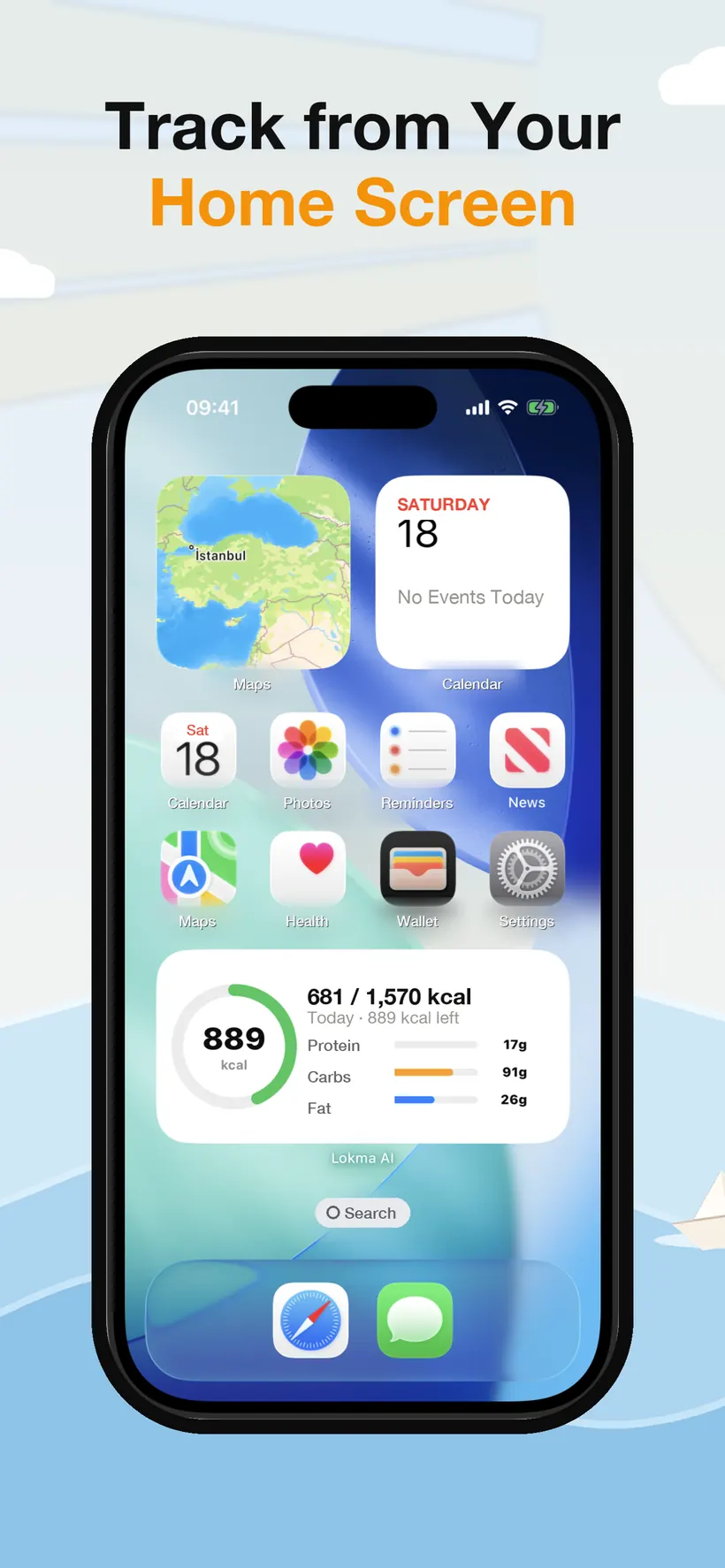
On the Home Screen
A widget keeps today's calories, the remaining budget and your macro bars on the Home Screen, so checking in doesn't mean opening the app at all.
Screen 7 of 8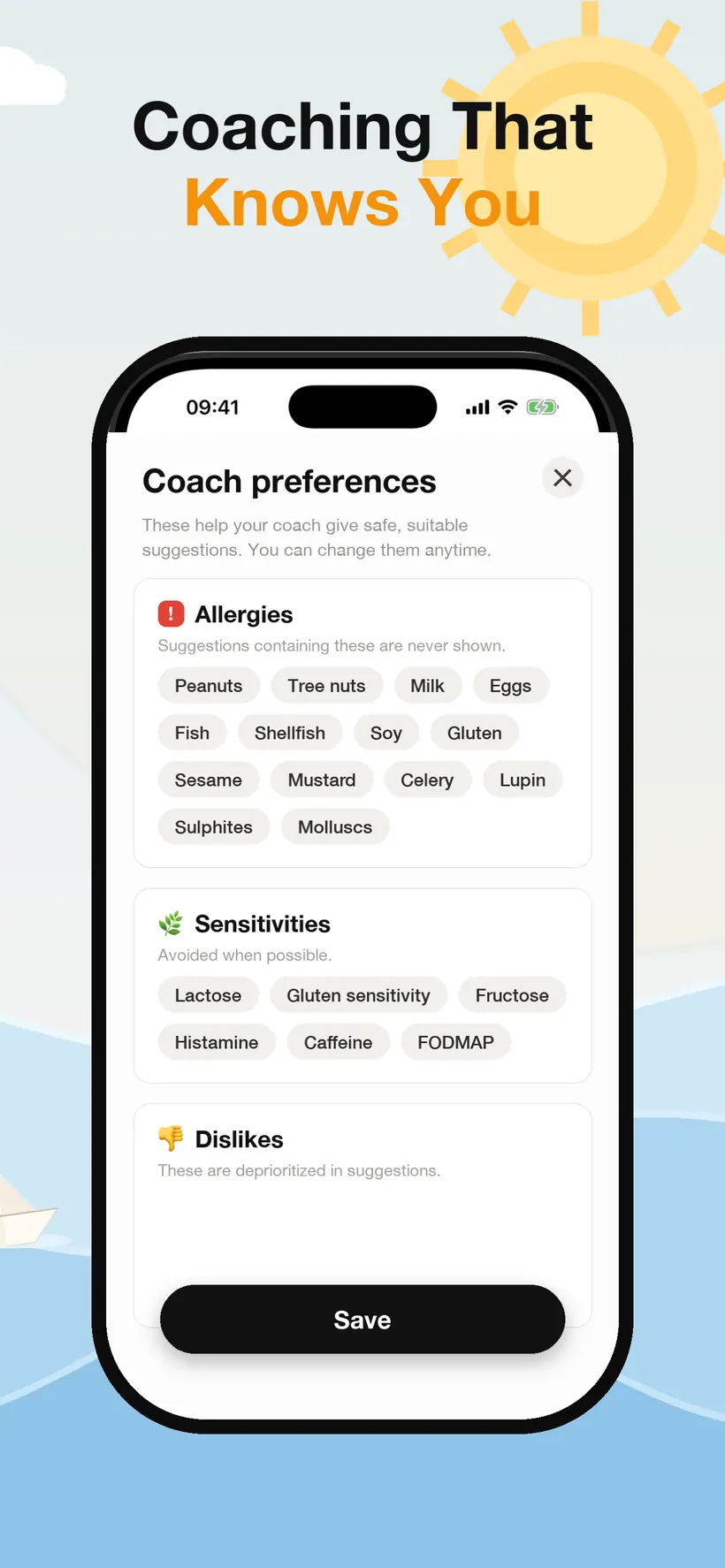
A coach that knows your limits
Before the AI coach suggests anything, it takes your allergies, sensitivities and dislikes. Allergens are never suggested; sensitivities are avoided where possible; dislikes drop down the list. You can change any of it later.
Screen 8 of 8
Calorie tracking in a snap.
What it collects
Account & identity
User ID, and optionally your name or email via Apple/Google sign-in.
Health & profile
Sex, age, height, weight history, activity level, dietary preferences and goals.
Meals & photos
Meals you log and photos you capture, stored privately to your account.
Subscription status
Trial and subscription status. We never receive your card details.
Built with
Supabase
Database, authentication, and private photo storage
OpenAI
Meal photo and text nutrition analysis
RevenueCat & Apple
Subscription and billing management
Apple Health
Optional — writes nutrition data and may read weight, only if you connect it
Last updated: June 30, 2026